Hi there friends!
I hope the spring season is going well for you. I have been busy in the yard again getting ready to plant for the season. We still get frost warnings so not quite ready for the whole garden yet.
Today I am sharing, card #2 made with this set by White Spruce Studio. You can find the link and my supplies at the bottom.

This time I am making a baby card. There are so many cute ideas in my head for baby cards from this set.
I love the little birds on the branch. They remind of the ones I saw at Grand Canyon National Park. They are so sweet how they huddle all together. The parents would swoop in and feed them.
Please note: I use Silhouette Studio with a Silhouette Cameo. My instruction is exactly how I made my card. You can change design elements as you please and this will work on other brands of electronic cutters. My supply list is at the bottom including the links to the design files used.
Instruction:
- Download the design files and unzip them.
- Draw a rectangle in the design software for your machine that is 4.25x5.5 inches. This is a guide for sizing the elements. You can cut it out to use as a card panel if you would like.
- Bring in the elements: tree, branch with hanging pieces, blue bird, hedgehog.
- Duplicate the blue birds twice so you have three of them.
- Size the tree so it hangs off the panel. Size the branch to stick out of the tree. Size the birds so 3 fit on the branch. Size the hedgehog fit below the tree.

- Set the software to use the Print & Cut feature withe the registration marks turned on.
- Arrange the elements to all fit in the boundaries. I remove the rectangle as I will use a die on paper.
- Send the page to print. Send the page to be cut by the machine.
- Choose your card panel. I am using a blue paper cut with a die to make it 4x5.25".
- Arrange the cut elements on the card panel.

- Add glitter to the moon and stars using a glue pen and a light colored glitter.

- Adhere the tree to the panel where the edge runs halfway through the trunk. Adhere the branch on the left of it.
- Adhere the left bird with glue. Adhere the middle bird with some slight thick adhesive foam to slightly prop it up. Adhere the right bird with glue.

- Adhere the hedgehog with adhesive foam.

- Stamp a sentiment and cut it out and adhere to panel. Alternatively, you can print one out.

- Turn the panel over, cut all the over hanging pieces. I cut the tree carefully so that I may use the cut off piece on a different card.


- Embellish with gems or sequins.
- Adhere panel to a card base and add sentiment to the inside.
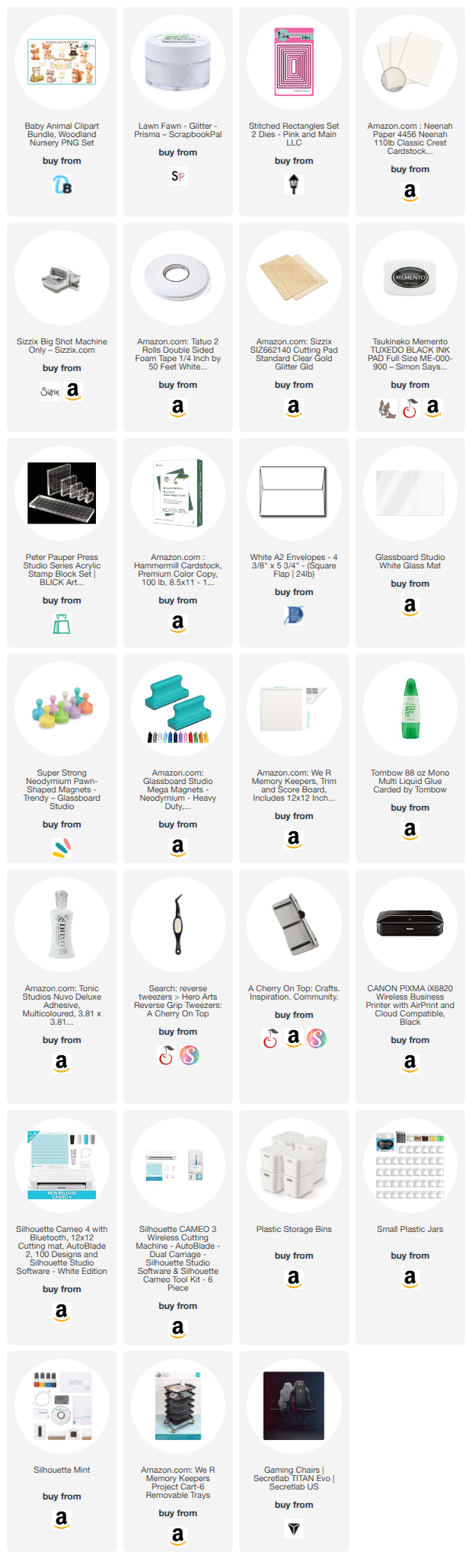
Check out the supply list below for all that I used to make this card.
~Paula
If you’d like, please follow me:
Please follow this blog, you can find the Follow button in the right column ===>
Facebook: Paula's Studio
Instagram: PaulasStudioMI
Please Note: I am a big advocate of using supplies you already own but I understand that readers might be interested in specific products that they might not already own. This post contains product links so you can easily find any supplies and/or tools you may be interested in. As an affiliate, I may be compensated for a purchase made using my links. However, no additional cost is extended to you. The other links are just to help guide you in the right direction. I am not affiliated with all companies but I encourage you to shop small businesses as much as possible. I may even include eBay listings for products that are available there at the time this is posted. I only share product information of products I am familiar with and use in my own studio. Papers are just from my collection. I always grab from my scraps first and I don’t keep track of where they came from. Use what you have!


No comments:
Post a Comment